
Frequently Asked Questions
1.
Are there any videos that show me how to use studystack?
2.
Is it possible to create flashcards? I only see pages for creating a "StudyStack".
Yes. When you
create a StudyStack, the corresponding flashcards, hangman game, word search puzzle, crossword puzzle, word scramble, fill-in-the-blank and StudyTable are automatically created.
- After signing in, if you would like to create activities using your own data, click on the link that says "Create new stack"
- A page with three "tabs" should be displayed. On the "settings" tab, you can enter anything to describe and name your new stack. Then press "Save Changes"
- Then click on the "Data" tab. A table will be displayed where you can enter the information you would like to study. In the first column, type a question. In the second column type an answer. When you have entered the data you would like to study, click on the "Save Changes" button.
- Once your data is entered, you may use any of the activities, such as hangman and word scramble with your data.
3.
How can I share my stacks with others?
You can share your
"public profile" page
to allow others to easily view the stacks that you
created and the ones that you have marked as a favorite.
The address for your public profile page will be "https://www.studystack.com/users/" followed by your StudyStack username.
(You can change the user name for your account by going to your "My StudyStack" page and clicking on the Account tab.)
4.
I am a teacher and I want my students to use the stacks I created, do all my students need accounts?
No, your students can still view your stacks and use all the activities. However, there are some additional features
available when you are signed in to studystack. The flashcard activity will remember what box you put each card in
and when you go back to the flashcard activity later, the cards will be where you left them. Also, your high scores
in games will only be saved if you are logged in.
5.
Can I enter data but not have it viewable by everyone else?
Yes. Edit your stack and change the Category to "private" or "hidden" on the "Settings" tab. Your sets marked "private" can only be
viewed when you are logged into your StudyStack account. Neither "private" nor "hidden" stacks will be listed on any studystack.com
pages except for your own dashboard page. However, a hidden set can be shared with others. If you
send someone a link to your hidden stack, they will be able to view the set. If you are trying to study information that you
are directly copying from copyrighted material, you should also chose "private" as the category.
6.
Can I create a category?
No. But if there is a subject that we don't have a category for yet send an email
and I'll create one. Make sure to specify what page the new category should be added to.
7.
I saw a mistake on one of the flashcards. Can I send an email to the person who entered the data?
No. In accordance with our privacy policy, StudyStack does not give out email addresses. However, you may be able to correct the data. When a user creates a stack, he can indicate whether other users should be allowed to edit the data. If they allow other users then you can edit the data.
8.
How do I enter foreign language characters?
You should try to learn how your computer allows you to enter foreign language characters using your keyboard. That way you can enter foreign language characters in any program. Try any of the links below for details:
9.
How do I delete a stack?
You can only delete the stacks you create. Go to your "My StudyStack" page and look to the far right of the page. Next to each stack name, there is a link to click on to delete a stack.
10.
When creating the labeled slides, how do I delete a label, image, or slide?
To delete a label or image, click on the item you want to delete and then press the delete key. (On a Mac laptop, you will have to hold down the FN key while you press Delete.) To delete an entire slide, click on the smaller preview image of the slide which is below the main slide, then press delete.
11.
Is there a way to mark a set as a favorite?
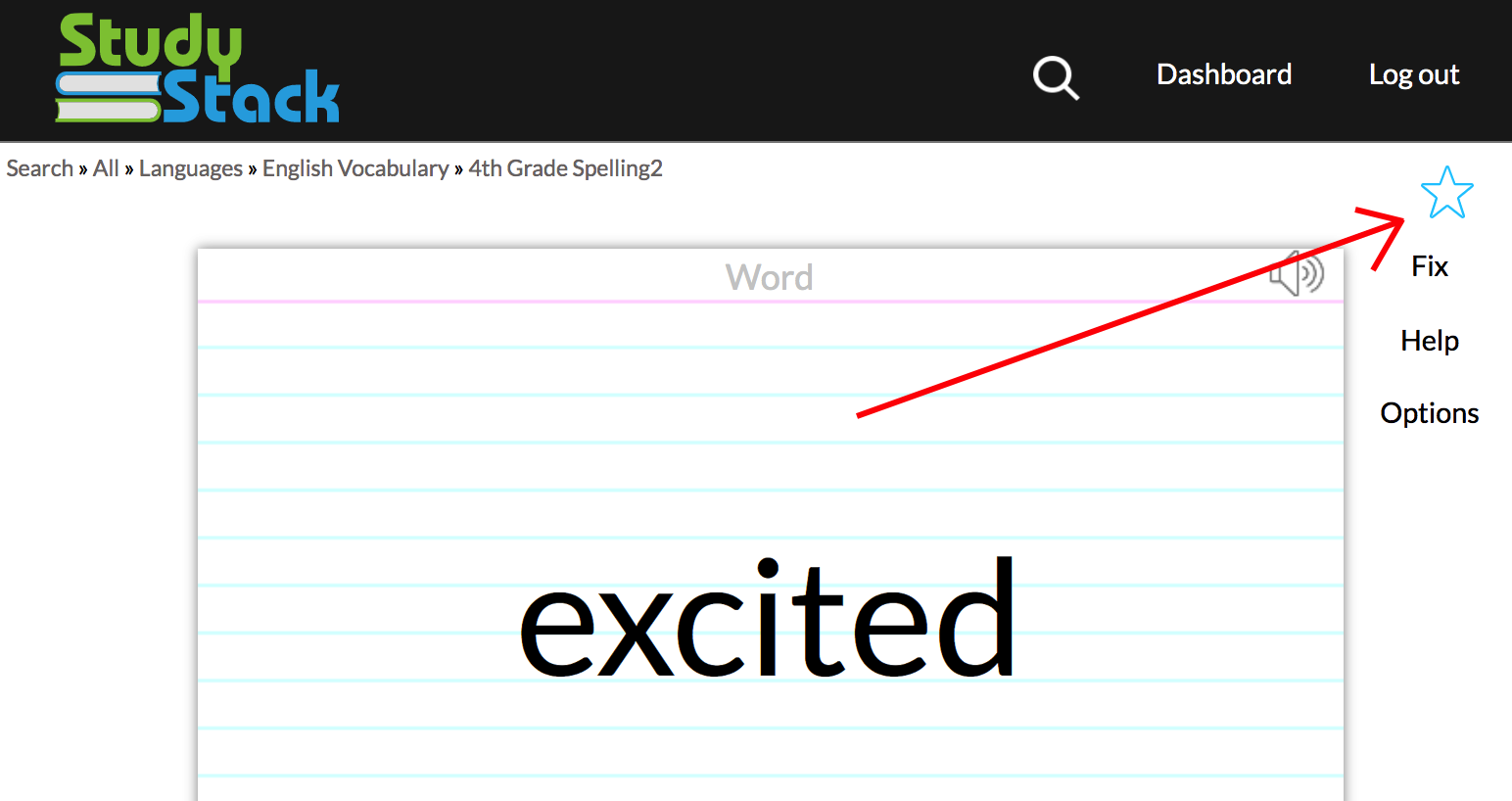
Yes, when you are logged in to StudyStack a gray star will be displayed
at the top right of each activity page.
Click on the star and it will turn yellow to indicate that
this set is one of your favorites. All you favorite stacks will be listed
on the bottom of your "My StudyStack" page.
12.
I created a stack but I don't see it in the list of stacks for the category I selected. Why is that?
The stacks are listed by their description, not their name. Are you looking for the right text? Also, only
stacks with at least five flashcards get listed.
13.
How do I delete my studystack account?
Login and go to your Dashboard page. Then tap the "Account" tab. Enter your existing password above the red "Delete Account" button. Click the "Delete Account" button and finally confirm that you really want to delete your account.
14.
How can I copy an existing stack?
PRO users can click the "copy" button below any activity.

Non PRO users must do the following to copy a set.
1. First export the stack you want to copy by going to the bottom of the export page and picking "Delimited Export". (The link to the "export" page is just below the two rows of the blue activity buttons.)
2. Open the file that was exported and Copy the text that was exported.
3. Create a new stack from your "My StudyStack" page.
4. Fill out the Settings tab with a new name and save the changes
5. Click on the Data tab and then click the "Import Text" link on the bottom right.
6. Paste the text that copied from step 2.
7. Click "Import" and then "Save Changes"
Non PRO users must do the following to copy a set.
1. First export the stack you want to copy by going to the bottom of the export page and picking "Delimited Export". (The link to the "export" page is just below the two rows of the blue activity buttons.)
2. Open the file that was exported and Copy the text that was exported.
3. Create a new stack from your "My StudyStack" page.
4. Fill out the Settings tab with a new name and save the changes
5. Click on the Data tab and then click the "Import Text" link on the bottom right.
6. Paste the text that copied from step 2.
7. Click "Import" and then "Save Changes"
15.
What's a PRO user?
StudyStack is funded primarily by advertisements so that it is free for everyone to use. But if you'd like to directly support StudyStack and not
see ads you can pay to be a PRO user. The basic PRO account is $10 per year or $1.50 per month. There is also a "PRO Teacher" plan that you can
use to remove ads for you and your students. The PRO Teacher account costs $20 per year.
16.
StudyStack is not working right and I am using Chrome. What is wrong?
Usually this is caused by a Chrome Extension that you may not have even realized you installed. Browse to chrome://extensions and
uncheck any of the enabled extensions and then see if the problem goes away.
17.
Sometimes the hangman game (crossword puzzle, scrambled word activity) uses a word from my definition instead for the game. How can I make the website only use the words I'm trying to learn?
On the "Settings" tab where you name the set when you are creating it, there is an option that says "Generate random fill-in-the-blank clues for activities". Make sure that option is not checked.
18.
Even after unchecking the "Generate random fill-in-the-blank clues for activities" sometimes the hangman game uses my definition for the game and my word as the clue. How can I force it to not use my definitions?
The hangman game will only use answers that are at least four characters long and less than 20 characters long. So if you make your definitions longer, they won't get used as the answer. You can also force an answer not to be used by including two underscore characters. So if you had a card like:
front: pizza
back: I like to eat ___.
The hangman word would be "pizza" and the clue would be "I like to eat ___."
Another option is to explicitly specify which columns to pull the words from and which ones to pull the clues from as part of the URL. For example: The page at https://www.studystack.com/crossword-1 is the original crossword puzzle from a set that contains three columns. To make all the puzzle words come from the first column and the clues to come from the third column, you could use a URL like: https://www.studystack.com/crossword-1&wordColumn=1&clueColumn=3
front: pizza
back: I like to eat ___.
The hangman word would be "pizza" and the clue would be "I like to eat ___."
Another option is to explicitly specify which columns to pull the words from and which ones to pull the clues from as part of the URL. For example: The page at https://www.studystack.com/crossword-1 is the original crossword puzzle from a set that contains three columns. To make all the puzzle words come from the first column and the clues to come from the third column, you could use a URL like: https://www.studystack.com/crossword-1&wordColumn=1&clueColumn=3
19.
When selecting a Category for my stack on the Settings tab, what are the two categories "private" and "personal"?
Both of these categories can be used to limit who can use that set of flashcards. Selecting either of these settings will hide your set from others. StudyStack will not list these sets anywhere else on the website. However, selecting "private" will still allow you to share the set with others by giving them the address (URL) of the page. But if you select "personal", the only way to see that set would be to first login to your StudyStack account.
20.
Can I print my flashcards?
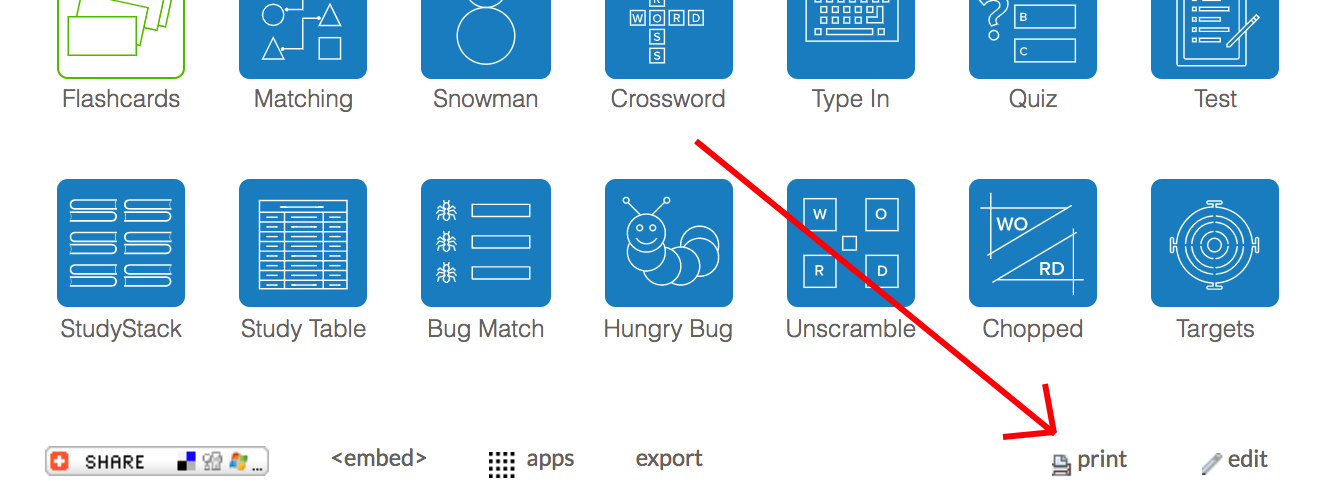
Yes, you'll find the "print" link just below the two rows of blue activity buttons. Click that link and you'll be presented with many formats that you
can print your cards with. You will also be able to print out a quiz, test, matching activity, crossword puzzle, word search puzzle, and BINGO cards.
21.
Can I change the number of questions in the Quiz or Test activities?
Yes. You can add extra parameters to the quiz and test addresses to control how they are generated. Here are some examples:
https://www.studystack.com/quiz-1529556&maxQuestions=30
https://www.studystack.com/quiz-1529556&maxQuestions1=3&maxQuestions2=1
https://www.studystack.com/test-1529556&matchingQuestions=4&blankQuestions=6
https://www.studystack.com/quiz-1529556&maxQuestions=30
https://www.studystack.com/quiz-1529556&maxQuestions1=3&maxQuestions2=1
https://www.studystack.com/test-1529556&matchingQuestions=4&blankQuestions=6
22.
Can flashcards have more than two sides?
Yes. Edit your set and go to the Data tab. To the right of the last column heading, click the small input area to create another column.
23.
How accessible is StudyStack?
Please check out our accessiblity statement.
24.
I have a question that is not answered here. What should I do?